TLDR; I gave 4 coding agents a $100 budget to build a functional PDF editor. The implementations are okay, but not great: within a few clicks I find bugs in almost all of them. I hypothesize that this is partly because agents don’t interact with software like humans: they don’t pursue concrete goals and experience friction on their way, and they also just look at the UI much less. In consequence, unless we change the way LLMs operate, we will be cursed with annoying SlopWare.
A short background. As a researcher on LLMs for Code, I spend most of my time trying to find out why humans are needed in the Software Development process. The answer to this question is changing rapidly. Six years ago the answer was that no system exists that can translate natural language requirements into functional code at all. Three years ago, this problem had been answered by ChatGPT, and the problem shifted to contextualizing: Existing systems, mostly pure LLM completion, did not know about the complex surroundings within which it operated, existing functionality, constraints of the language, shape of inputs. The answer to this problem turned out to be coding agents. Very general symbolic wrappers around LLMs that would allow interaction with the target system, reading, editing, and executing code like developers. Sprinkle a bit of RL on top to chisel out goal-seeking behavior and voilà.

Of course my research is not done yet. Human software engineers are still around. Contrary to the meme, I do think they are around for a reason, and concretely because they still provide value. But what is this value? In my experience of driving coding agents it boils down to two things:
1. Staying on track and pressing enter if the agent prematurely exited.
2. Noticing and reporting the annoying/broken things.
In this post I am focusing mostly on 2, because it is often conflated with “taste”. I am trying to analyze this more concretely here.
A small experiment. I am drawing from two main pools of experiences of LLM interaction. One is more anecdotal, of my experience of building better Open-Source-Software (OSS) using coding agents. The second is a small experiment I recently set up out of curiosity: If I give an agent a $100 budget, and tell it to create an Open-Source tool with great user experience – what will it do? Can it autonomously design a good interface that will be pleasant to interact with?
For the latter experiment, I tasked Gemini 3.8 Flash, GPT Astra 6, Opus 5 and Fable 5 to create a great PDF Editor. PDF Editors apparently don’t have a good OSS alternative yet, and I explicitly instructed them to inspect existing tools and search on the internet for things that potential users reported they were lacking. The models were started in their own harness, had their own VM at free disposal (e.g. to install computer-use tools) and were woken up after returning as long as the $100 budget was not used up. The agents initially had to operate in privacy, mostly to not influence each other. The produced artifacts are linked there and easily accessible via the produced web apps. Because, eventually, all models decided to build a web app.1
Death by a thousand cuts.
Webapps. This is, in my opinion, the first mistake they made. PDF editors are useful when they are natively installed. They should be the standard PDF viewer on my system. If the model builds a web app, it should make sure that it is easy to access and install, ideally as native app. In its first attempt in a public repository, Gemini produced something that only provided installation instructions via npm – failed! Astra in contrast did make sure a GitHub Pages deployment was available. This concerns two development runs that were public, later runs were explicitly private so I can’t blame the models for not publishing a website. But, as far as I can tell, no model spent effort to make sure the apps are locally installable as e.g. Android apps, or executable. I can only speculate that the model was driven to produce something compatible with every OS, but failed to recognize that this would strongly inhibit the usefulness of their tool.
Interaction. In Geminis first attempt, the created PDF viewer supported inserting images. Upon selecting an image, Gemini 3.8 Flash’s tool would insert the image at the current cursor position when clicking on the PDF. This is super unusable! First, I don’t see whether the image was correctly selected and more importantly, second, I don’t get a preview of where the image will be when I click. Worse, selecting the image to delete it or move it afterwards was impossible. Claude and Codex later neatly circumvented the issue by just inserting the image directly at a random position and letting me drag and drop it. Maybe they just got lucky in their first draft or got sufficient experience distilled from training to suggest this is the right way. But it is unclear if they would have *noticed* this issue if they had committed to it in the first place.
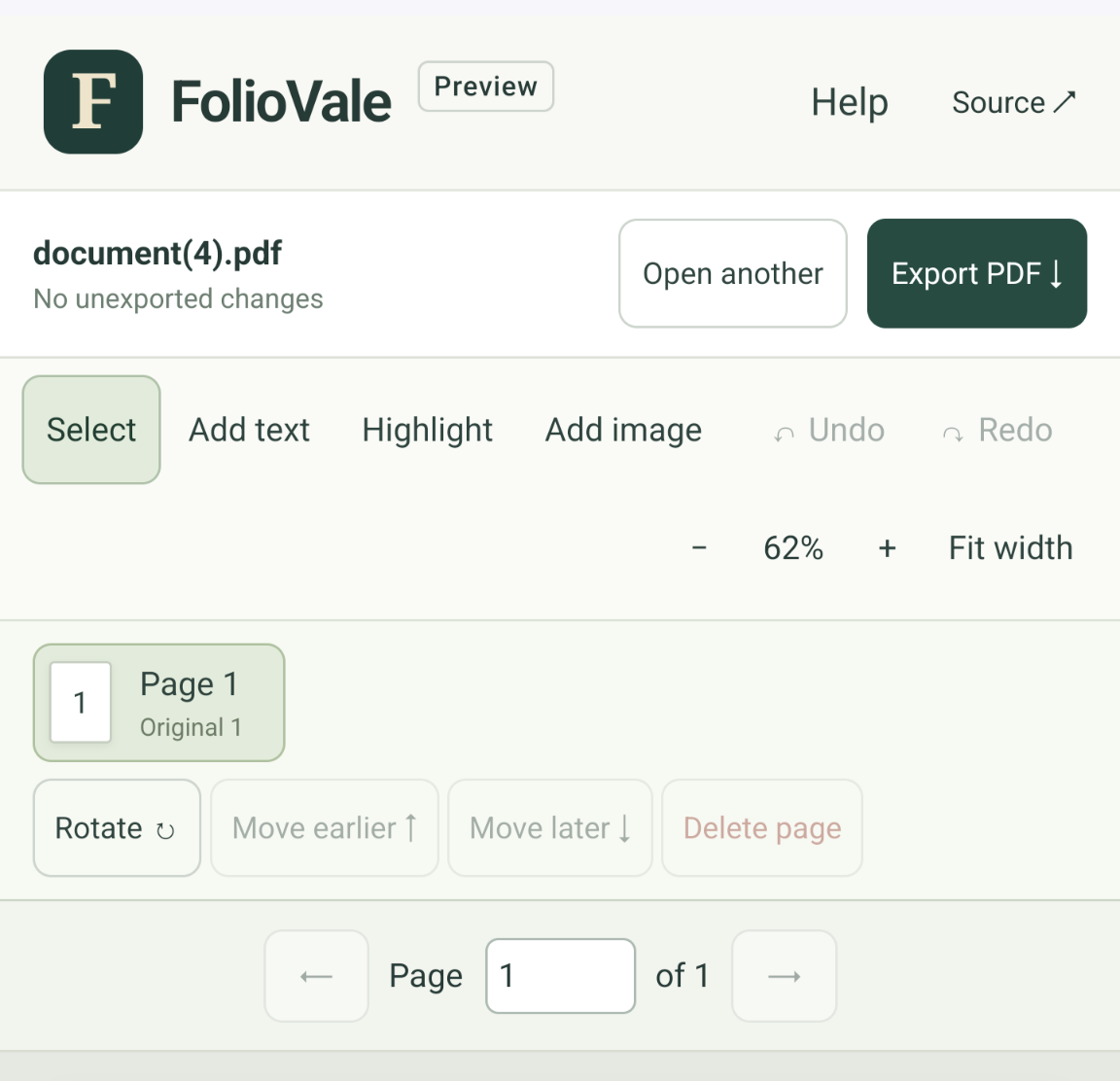
Interface navigation. When I told Astra to build a very intuitive design, it decided to put an explicit, textual description on every (!) button. I would argue this is the opposite of intuitive. This is explicit, but not using design language that is common and that humans have been culturally trained for, it is quite the opposite of what humans would intuitively expect on an interface! Gemini on the opposite created one million buttons with more or less questionably clear icons. A modern feature that is actually great for interface navigation is the ability to search through settings/available utility. Notice that both Android and iPhones quickly shipped a search function for their settings app in short distance (maybe a year apart). I recall in my childhood that I often spent the first few days playing with my new phone looking at all the settings so that I knew where I would find the relevant things. No model decided to include such a search or help tool.
Speed. A few weeks ago I forked a great web-version of ancestry manager and viewer Gramps, Gramps-Web. This tools is clearly generated with very heavy coding agent support. And apparently no one had “stress tested” this tool. I put quotation marks because I noticed performance degradation when my ancestry contains 1500 people. That is large-ish for an ancestry database, but tiny considering computer workloads. Nonetheless, the UI was extremely slow. Inspecting closer, I found many backend requests taking ~seconds and, to make matters worse, being sequentially sent from the frontend. Additionally, the backend mixed generic SQL queries with manual joins in Python (a terrible mess, goes without saying). Codex was able to figure out the problem with a clear pointer and two additional nudges but it no one had noticed or bothered to fix this issue on their own.
Ambition. For this setting I had instructed LLMs to implement what was missing in OS tools and look up stuff. They neatly built a pdf.js based viewer and a few basic editing tools: inserting images, signatures (sometimes), comments, shapes, redacting text, reordering pages, compression (only Gemini). Fable went fully minimal and did not support anything beyond highlighting and text: no watermarks, redaction, shapes, multi-selection, or even selection of single added element (you have to select the image addition tool to be allowed to select and resize images). Only Opus even thought about something ambitious: Editing pre-existing text in the PDF. It still lacked other related (and more obvious) utilities: Edit or move graphical elements such as images or separators, OCR, or vector graphic manipulation. A quick ChatGPT search reveals this is supported by at least three popular PDF editors. My assumption is that pdf.js is a limiting factor for this but I don’t care: its clearly missing.
Platforms. Most applications are at least a bit broken or don’t work on mobile platforms (which is the only platform I tested apart from desktops). Touch scrolling across the PDF would be jagged in Fables app. In Geminis app the display ratio does not change from desktops, so you won’t see half of the controls. Note that the models are explicitly instructed to test their apps across platforms, and still.
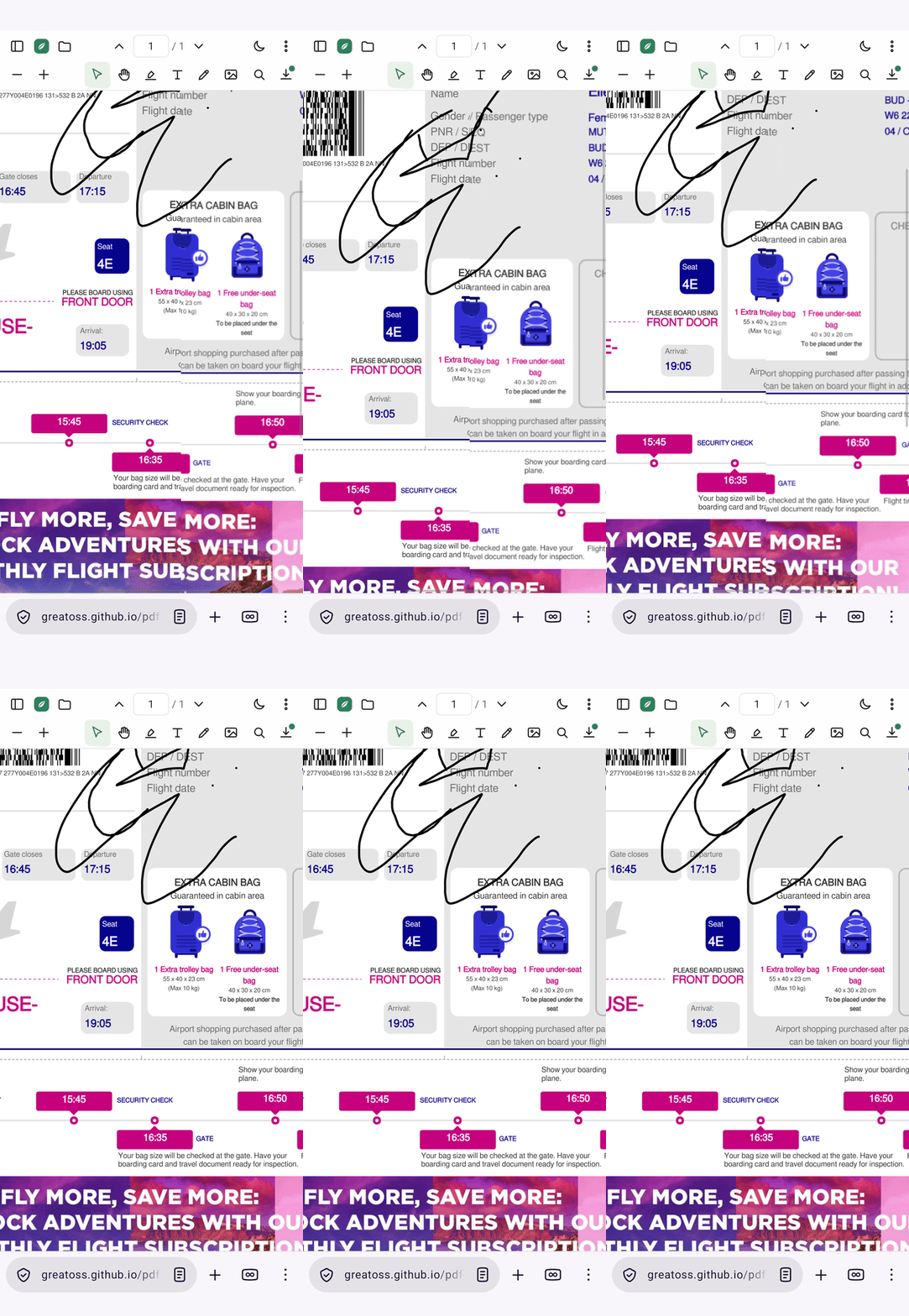
Bugs Bugs Bugs. Despite the lack of ambition, there was no shortage of bugs. For example, in the initially developed Gemini app, the image in an exported PDF was skewed, the colors in the PDF inverted in dark mode. Opus’ text editor changes the font of edited text. Image rotation was frequently missing, as well as support for different image types. After highlighting a box for redaction and *not* applying the redaction, the edit box would just stay until it is manually clicked away. Even in Fables app, I can’t draw inside and existing drawing because in drawing mode, clicking on a drawing selects that drawing for resizing and moving. And of course no app has a bug reporting button (or even a link to the source code).
LLMs are non-human
What does all of this point towards? For me all of the above issues point towards an overarching issue that all coding agents share: They don’t interact with software in the way that humans do.
- Humans are purpose driven: They have specific documents for which they want to achieve specific changes. Anything that stands in their way (finding the right setting, misalignment between cursor and image placing, failing to save the result) will be noticed.
- Humans are impatient: In this interaction they will encounter operations that are slow. While models have improved at this, they usually don’t spend time to reduce operations by orders of magnitude even though it would be possible and greatly improve iteration time or usability.
- Humans are real-time interactive: Especially for the image-placing setting I noticed a stark difference between LLM computer usage and humans. LLMs inspect a screenshot, move the cursor, inspect another static screenshot. Humans inspect the monitor in real time while manipulating the inputs. This shapes a lot of our intuition about how UI should behave and also powers much of our UI learning.
My hypothesis is that AI agents that don’t interact with software in the way that humans do will not be able to design great human-friendly software.
There is no free lunch. I recently encountered opinions that we will soon have an OSS clone of every commercially available software. These results and my personal experience disagree with this. The main problem with OSS is typically usability. And this appears to be exactly the dimension on which coding agents struggle. Thus, a human is still needed to steer the agents towards all the small bugs and issues that make the software jarring to use. In other words, the OSS developer would be a product manager. And who wants to be a product manager for free? Historically, OSS lived from the desire to write small pieces of beautiful code. Will new developers emerge that love being product managers?
To conclude, the very human-being and capability to introspect on UI design seems to be one of the main values provided by humans sitting in the driver seat of coding agents. If you want to make coding agents better, tackle the discrepancy between AI and human software interaction.
- The experiments are published here: https://github.com/GreatOSS ↩︎